


Implementing bulk metadata edit in Nuxeo
I recently read this awesome blog post by Jackie https://eeikkaj.medium.com/how-to-select-all-documents-from-search-and-send-to-bulk-action-9d3faa778ecc and decided to follow it and to show you how easy it is to implement a feature that could be very useful to some of your end users. As a matter of fact, all the building blocks are already there for you, you just have to understand how everything fits together, and assemble them.
The use case.
Users of your DAM system might import thousands of assets after a photoshoot or from any type of content producer. Let's assume that after the import they need to add some specific metadata to all these imported assets. They might need to do that from the workspace or folder where the assets were created, or from the search results. Also, let's assume that these assets might have been imported in different folders so they should be able to basically edit an entire hierarchy at once if they need to (and not be restricted to only assets within one folder).
See this in action here for the end result:
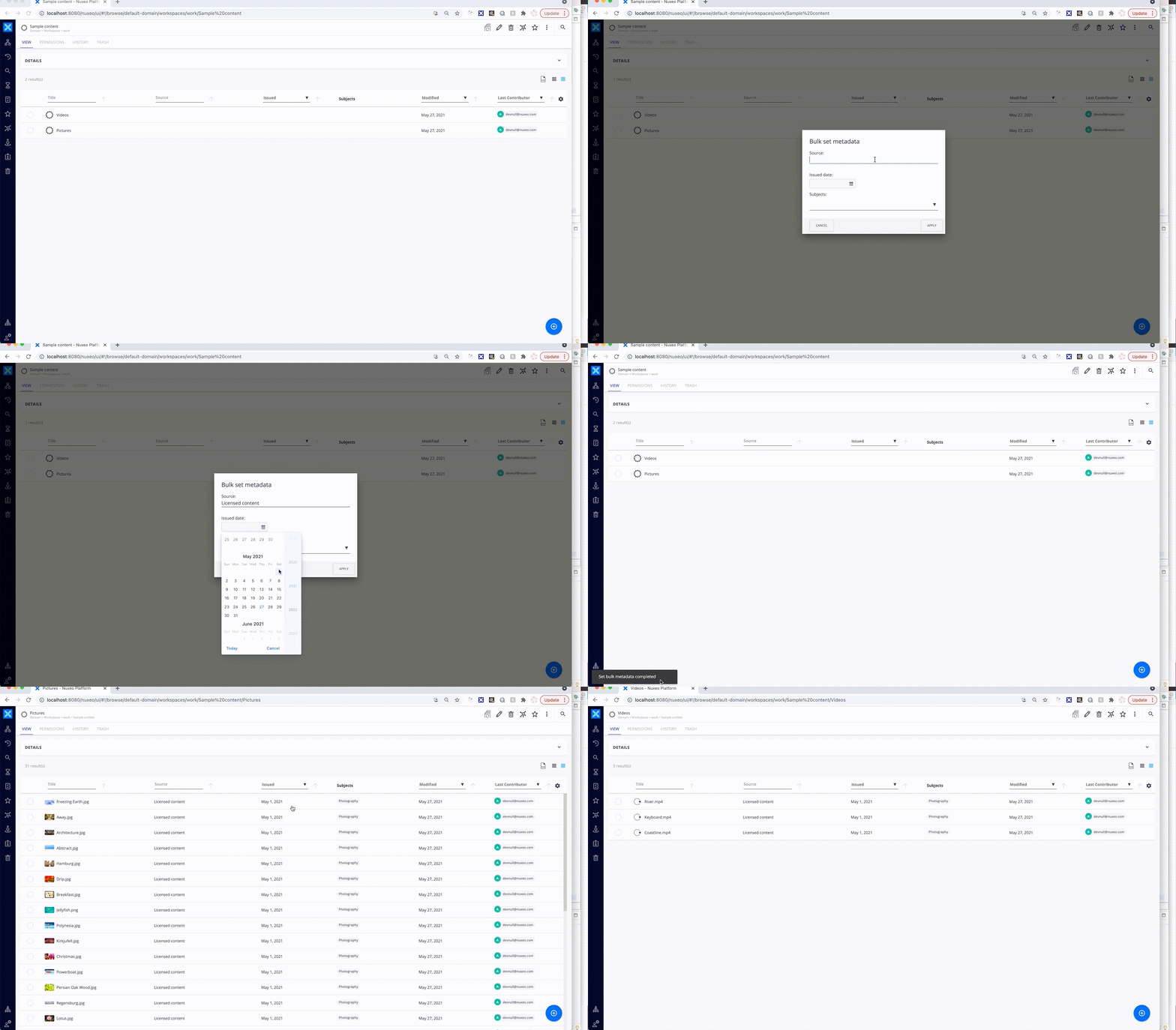
I chose to set 3 existing properties for this example, all from the dublincore schema : source, issueDate and subjects.
While it's very unlikely that these are the exact properties you will need to set, I specifically choose a string, a date and a complex property so you can easily adapt the example to your metadata, whatever the type might be.

Work with Maretha
Working through a content platform challenge?
Bring your platform, constraints and questions. Let us help you work through the approach.
Discuss your project ↗